SEONIB on Shopify: Zero Code, Zero Team, Automatic Traffic Growth
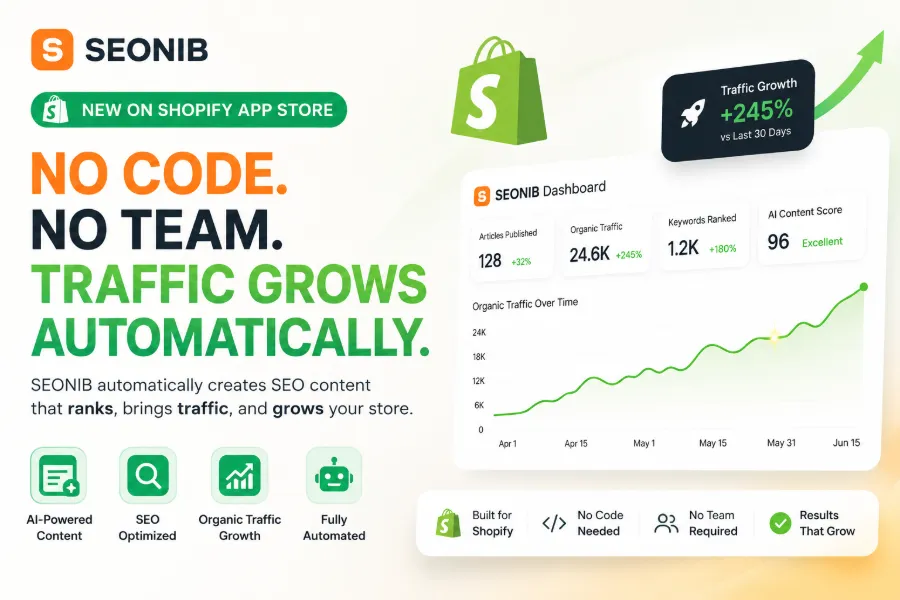
Opening the Shopify admin in the morning, I habitually glance at Google Search Console and see that I didn’t update the blog yesterday. The traffic curve lies flat, just like the past two weeks—this guilty feeling is something anyone who has run an independent site understands. It’s not that I can’t write content; it’s that just thinking of the whole process—“first pick a topic, then write the draft, then find images, then format, then publish manually”—already exhausts me. Honestly, I tried outsourcing to writers before, but the quality was inconsistent and I still had to redo the formatting myself. That’s why, when I discovered that SEONIB could be installed with one click from the Shopify App Store and run the entire workflow automatically, I treated it as a lifeline and tested it.
SEO content production has been stuck at the same spot for a long time: it’s not that I don’t want to write, but the psychological barrier before starting is too high. You need to decide what to write today, check if anyone has searched that topic, open ChatGPT to generate a draft, manually copy it into the editor, find images, add links, fill in SEO title and description… Doing all that takes at least two hours per blog post, and frequent gaps in publishing become the norm.
From “Thinking of Topics Every Day” to “Topics Find Themselves”
The most anxiety‑inducing moment in content creation is staring at a blank editor not knowing what to write. In the past I relied on browsing industry forums and competitor blogs for inspiration, which was very inefficient and often led me to follow others’ topics, resulting in content with no differentiation.
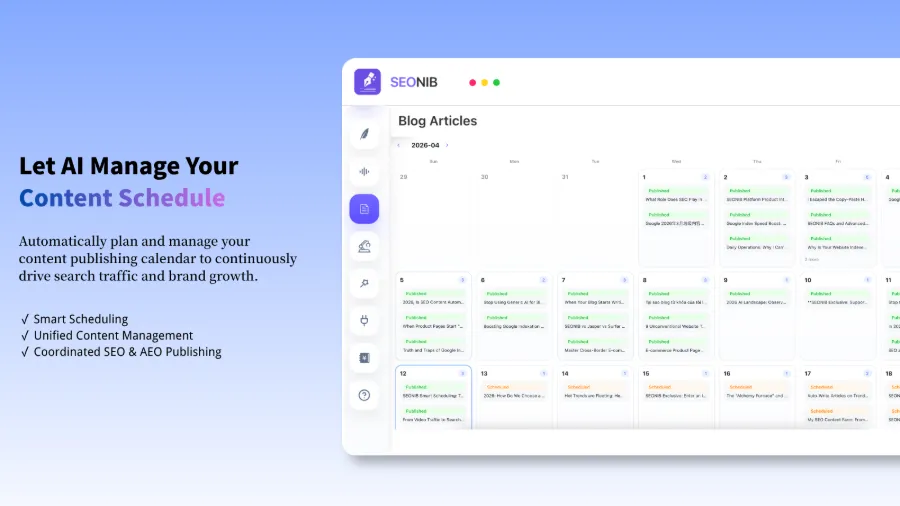
On the first day after installing SEONIB, I opened the admin and saw a push of a dozen topics, each annotated with estimated search volume and competition heat. This automatic trend‑discovery feature eliminated the dreaded “opening a window” stage. It monitors industry dynamics in real time, and based on your store’s products and categories, turns high‑potential keywords into ready‑to‑write tasks. I no longer have to wrestle with “what to write today”; I just pick a topic from the list, click “Generate,” and the rest is taken care of.
If you, like me, have PTSD from topic depletion, check out this Industry Hot Topics Blog Writing Guide, which explains in detail how to use trend data to build a topic library. In my practice, I receive dozens of high‑potential topic suggestions every day, covering a far broader range than my own random brainstorming.
The “Copy‑Paste Nightmare” of Content Production Is Over
Let’s talk about how stupid the old workflow was. I wrote articles with ChatGPT, then manually copied them into the Shopify editor; then I opened Unsplash for free images, uploading them one by one; then I manually added product links, filled in SEO titles, meta descriptions, and alt text. A 1500‑word blog post took at least 120 minutes from conception to publishing, most of which was spent copying, pasting, and formatting.
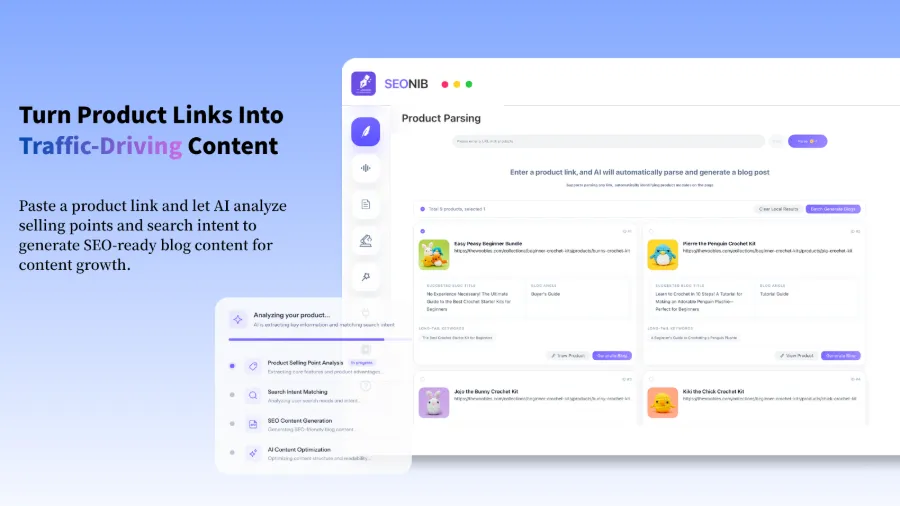
After using SEONIB, the workflow looks like this: input a keyword or product link, wait a few minutes, and the AI outputs a fully structured SEO article—title, subheadings, images, internal links, external links—all automatically handled. Images come from its asset library, and product cards are inserted automatically. I don’t even touch the editor; alt text is generated automatically.
| Task | Old Method Time | SEONIB Time | Time Saved |
|---|---|---|---|
| Find Topic | 30 minutes | 0 minutes | 100% |
| Write | 60 minutes | 3 minutes | 95% |
| Add Images | 15 minutes | 0 minutes | 100% |
| Fill SEO Info | 15 minutes | 0 minutes | 100% |
| Publish | 5 minutes | 0 minutes | 100% |
When it ran successfully for the first time, I stared at the screen for a few seconds—what used to take two hours now finished in three minutes. The contrast was a bit surreal, but more than that, I felt a pang of regret for all the time I’d wasted before.
Set It Once, Let It Run for a Whole Month
However, the biggest pitfall of automation showed up during the first test. I initially set up a “one post per day” schedule without carefully reviewing the content calendar and saved it. The next day it published three posts, and the day after that it missed one entirely. The schedule got chaotic, and the calendar was a mess.
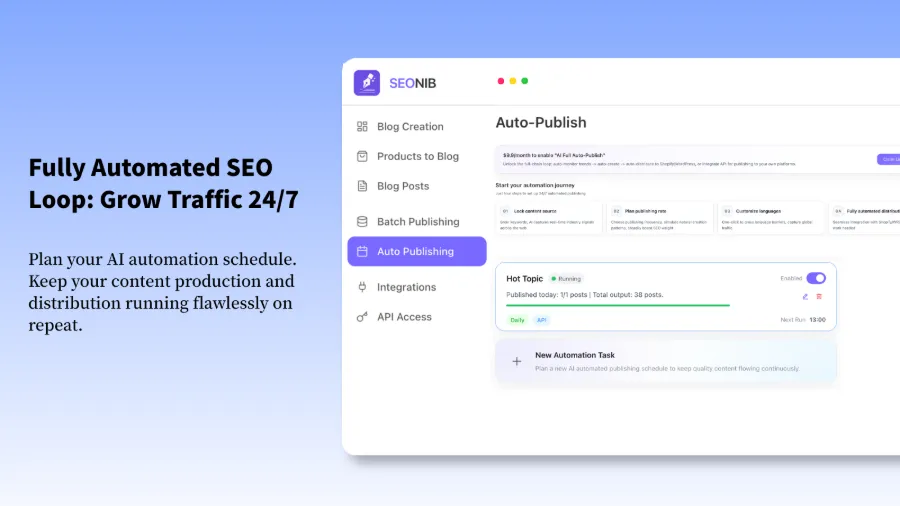
Later I spent a little time tweaking the content calendar: set the frequency to three posts per week, schedule publishing at 10 am from Monday to Friday, and enable the pre‑publish preview feature. After the adjustment, SEONIB ran on its own rhythm for a month without me clicking “Publish” once. Every day at the scheduled time, I opened the store and found a new blog post already waiting in the list.
Many people think automation means losing control, but the reality is the opposite—you control the rhythm, the AI just executes. Content can be previewed in advance; if you’re not satisfied, you can manually adjust or even delete it, and SEONIB won’t override your settings. If you need more granular keyword planning, pair this with the Keyword Blog Writing Guide and use it together with the content calendar for better results.
One Piece of Content, Feed All Channels—Shopify + Other Platforms Synchronized
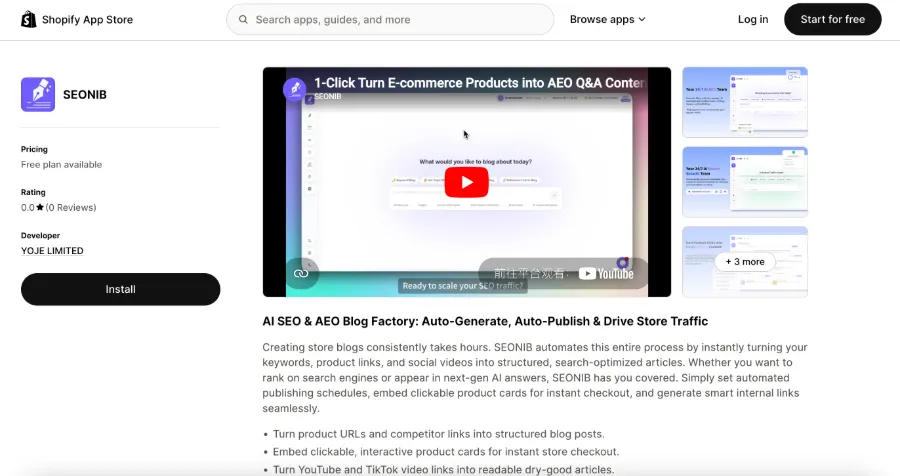
Content is generated only once, but the benefits compound. SEONIB supports direct synchronization to Shopify, WordPress, SHOPLINE, and more than ten other platforms, so you don’t have to log into each backend to paste. After getting it working on Shopify, I also linked a WordPress site, and the same article automatically appeared on both platforms, each with its own URL and being indexed separately by search engines, naturally accumulating authority.
The process is simple: in the SEONIB dashboard, bind the platforms you want to sync, select categories and tags, and the AI will automatically push the article to all linked sites when publishing. I tested synchronization between Shopify and WordPress; both sides kept the article formatting intact, with no garbled text or layout issues. If you want to try it, here’s a Detailed Tutorial on Generating SEO Blogs from Product Links. After reading it, you’ll have no problem getting started.
For those who have already set up automated publishing, I recommend digging into the SEONIB Help Documentation for advanced batch operations and multi‑platform sync tricks, which can further reduce manual intervention.
I’ve also compiled a more systematic approach to independent‑site automation scheduling: How Independent Sites Can Automatically Output SEO Content Daily, suitable for shops already using SEO tools but looking to boost efficiency.
FAQ
How long does it take to see content after installing SEONIB on Shopify?
After installation and initial setup, the first article usually appears within 10 to 15 minutes. If you enable automatic publishing, the article will be posted exactly at the time you set. Generation speed depends on article length and asset complexity; a 1500‑word blog typically takes no more than 5 minutes.
My store already has a blog—will SEONIB overwrite my existing content?
No. SEONIB creates new content and does not touch your existing blogs, pages, or product descriptions. Its built‑in editing mode also lets you manually tweak AI‑generated content to ensure nothing unwanted is changed.
Will SEONIB‑generated articles affect my store’s loading speed?
No. SEONIB only handles content generation and publishing; it does not inject extra scripts or third‑party resources into your Shopify theme. Articles are stored as plain text and images, which do not slow down page loading.
Do I need to understand SEO to use SEONIB?
No. SEONIB automatically handles titles, meta descriptions, keyword density, internal linking, and other standard SEO elements. You just provide brand context and product information; the AI takes care of the rest. Of course, if you’re knowledgeable about SEO, you can further fine‑tune the output with custom rules.
How long can I use the free version, and can I test before paying?
The free version has no mandatory time limit; you can use the basic features indefinitely to test generation quality and workflow suitability for your store. Upgrade to a paid plan when you’re satisfied.
Share Article