Before Choosing a Website Builder, Clarify Exactly What You Want to Build

Search YouTube for “best website builder” and you’ll almost always see a group of bloggers posting a “Top 10 Website Platforms” table, rating everything from design to speed in a tidy grid. Honestly, I’ve been using site‑building tools since 2010 when I first built a personal training site with Weebly, and I’ve watched countless tools rise and disappear. The real issue isn’t which tool you pick—it’s knowing what you’re actually building. This article won’t give you a ranking; instead, it breaks down four types of site‑building solutions based on real scenarios and briefly discusses whether AI site builders can truly be a sustainable option.
The Four Quadrants of Traditional Site Building: Find Your Spot
I categorize site builders into four groups: all‑in‑one (Wix, Squarespace), e‑commerce platforms (Shopify), self‑hosted WordPress, and AI site builders. All‑in‑one is like a LEGO instruction manual—follow it and you won’t go wrong, but any change means you have to dismantle and start over. WordPress is like building your own frame—maximally flexible, but you must be willing to spend time learning. AI site builders are like hiring an intern—day one looks capable, day two you’re copying and pasting others.
Wix and Squarespace suit personal portfolios, band pages, or sites that get updated once a month. Shopify is ideal for selling physical goods, bundling inventory, logistics, and payment. Self‑hosted WordPress targets small business owners who care about long‑term data and traffic ownership. AI site builders are good for quickly validating an idea’s feasibility, but don’t expect them to run for three years.
Building Is Easy, Filling Content Is Hard—The Real Bottleneck Is Ongoing Output
You’ve built the site—what next? I’ve seen many people set an ambitious “two posts per week” goal on launch day, only to abandon it after three weeks. Many built‑in blog editors are weak—no content planning, no scheduling, and even image optimization must be done manually. In 2023 I used an AI site builder to create a showcase site; page generation took less than a day, then I realized: this thing has no content engine. After three months, traffic numbers stayed at zero.
If you don’t want to hire a dedicated SEO team, the cost of content updates will fall on you. Manually writing an SEO‑friendly article—from topic selection to proofreading to images—takes at least an hour if you’re fast. Two posts per week equals eight hours a month, not counting time spent analyzing keywords and comparing competitors.
Choosing the right site builder solves only the “what the page looks like” problem; traffic depends on continuous updates. The enemy of continuous updates isn’t ability—it’s time and patience.
The Pitfalls and Opportunities of AI Site Builders
lovable, Base44, v0, Framer and AI site builders can indeed generate pages quickly, making them suitable for MVP validation. If you want to test an e‑commerce idea, spend a few days building a page and see if people click—this workflow is fine. But most AI‑generated pages are static—no blog engine, no category system, no content scheduling. Expecting natural traffic from an empty showcase site is like opening a restaurant without a printed menu.
Search‑ranking mechanisms haven’t changed: content quality and update frequency remain decisive. Google Search Console data doesn’t lie—a site built and not updated for three months sees crawl frequency drop sharply. What to do about slow indexing of new sites? This problem is especially severe for AI site builders because they default to not generating index‑friendly content structures.
The real opportunity for AI site builders lies in the combination of “quick scaffolding + continuous content feeding.” A scaffold alone isn’t enough; content without a place to live also isn’t enough. InfoQ has an article that analyzes how to turn product links into SEO blogs that continuously acquire natural traffic, filling the gap between content generation and site building.
Let AI Fill the Gaps for You—A Practical Content‑Engine Solution
Since the post‑launch content bottleneck is the real pain point, the solution isn’t to force it yourself but to automate the content‑production workflow. I tried many approaches and finally settled on a content engine: from trend discovery to article generation to multi‑platform publishing, the whole chain runs on automation tools.
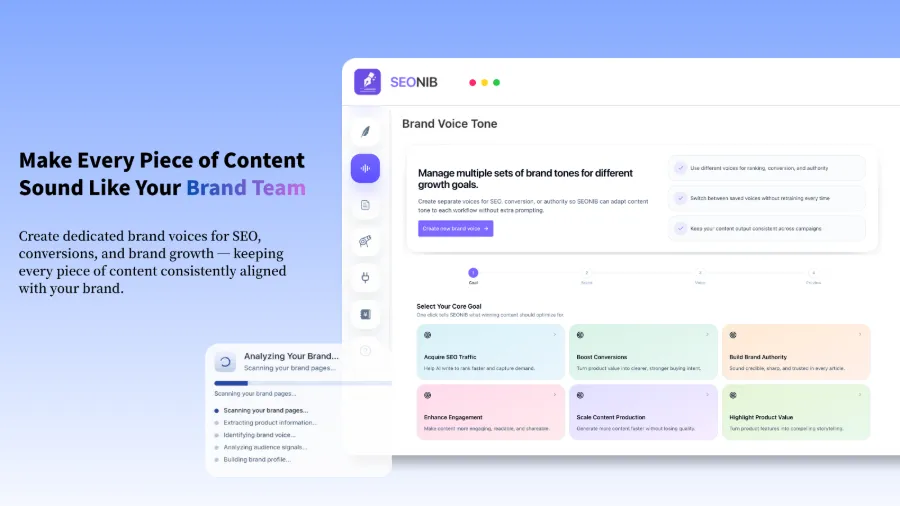
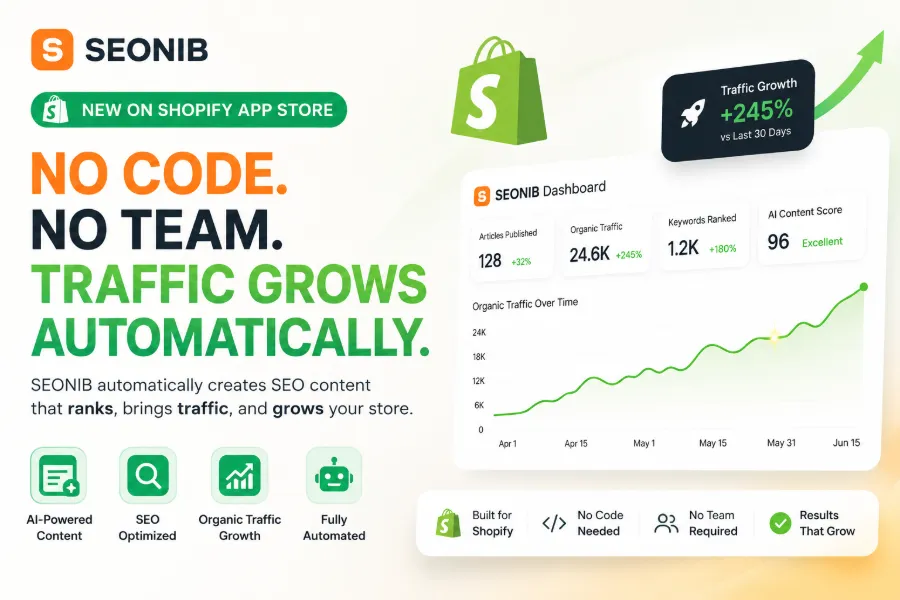
For example, turning a product link into an SEO‑friendly buyer guide—previously you’d open ChatGPT, manually paste product info, generate content, copy it into the editor, add images, internal links, metadata, then log into Shopify to publish. Repeating that daily for a week makes you question life. Using SEONIB, after entering a product link the system automatically generates, optimizes SEO metadata, adds images, and then syncs to multiple platforms according to your schedule. It supports 40 languages and one‑click sync to WordPress, Shopify, Shopline, and other major systems.
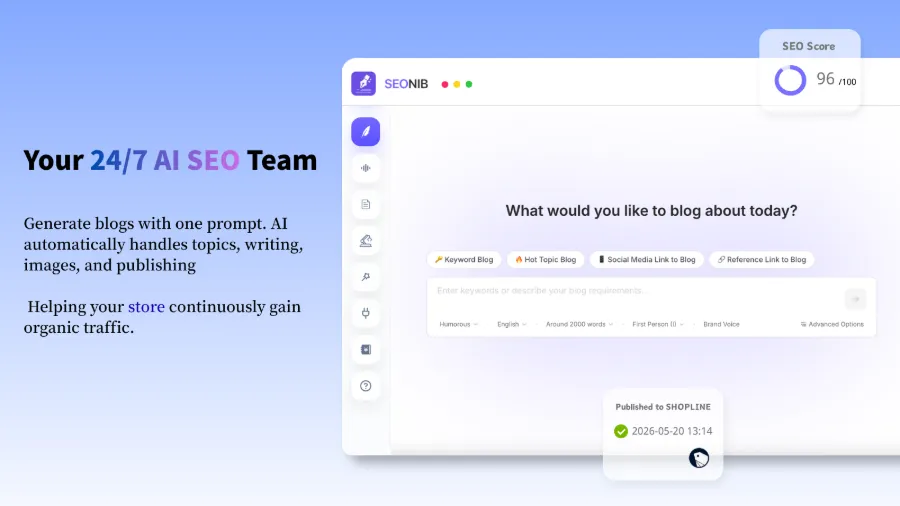
This workflow saves far more time than the few minutes needed to generate content manually. More importantly, it solves the two biggest operational risks: “forgetting to update” and “being too lazy to update.” You can set a frequency of three posts per week; the system automatically handles topic selection, generation, scheduling, and publishing—like an tireless machine.
Its core process consists of four steps: trend discovery (automatically track industry hot topics and long‑tail keywords) → content generation (keywords, product links, hot events, social‑media content can all be sources) → scheduling & publishing (automatic according to calendar, no daily login) → multi‑platform sync (one article pushed to multiple sites). CSDN has a detailed case showing using SEONIB to turn a product page into a blog.
If you’re thinking about SEO budget, Is spending on SEO & GEO services worth it? contains real cost data. For a systematic view of AI in SEO, the AI SEO Guide (2026) covers basics to practice.
My personal takeaway: building a site is the first step; the content engine is the engine that makes the site run. You can switch tools if you pick the wrong one, but a site without a habit of content output won’t benefit from any tool. For more operational details, see the help documentation, which includes specific configuration steps and FAQ handling.
FAQ
Q1: Should I use Wix or WordPress for building a site?
If it’s just a personal portfolio or simple showcase page, Wix is sufficient. If you want long‑term operation, SEO, and full control over data, choose self‑hosted WordPress. Wix’s strength is speed; WordPress’s is flexibility.
Q2: Can AI site builders replace traditional site builders?
They can for MVP validation, but not for long‑term operation. AI‑generated pages are great for testing ideas but lack a CMS and SEO support. Running a showcase site for three months to see the reaction is fine; don’t expect stable traffic.
Q3: After building a site, how can I guarantee traffic?
Continuous content updates—no shortcuts. At least two SEO‑friendly articles per week, sustained for over three months, are needed to see noticeable change. If manual updates are too time‑consuming, consider an automated content tool.
Q4: Are SEO content automation tools really useful?
It depends on how you use them. If you treat them as a “one‑click article generator,” the effect is limited. Integrated into a full publishing workflow—topic selection, generation, optimization, scheduling, sync—it can stabilize update frequency, which itself is an invisible ranking factor.
Q5: Can a product link directly generate a blog?
Yes. Input a product URL, and the system extracts the product information and generates a buyer guide, product comparison, or tutorial‑style SEO article. The article includes optimized metadata, internal and external links, and is ready to publish.
Share Article