
Guide to Converting Reference Links to Blog Posts
Last Updated:4/12/2026
Reference Link to Blog Mode supports using any existing web link (such as competitor articles, industry reports, etc.) as creative material, leveraging AI for structured rewriting and enhancement.
1. Creation Steps
Step 1: Access the Creation Portal
1. Log in to the SEONIB dashboard.
2. Click “Overview Center” in the left menu, then click “Create Now” on the “Reference Link to Blog” card.
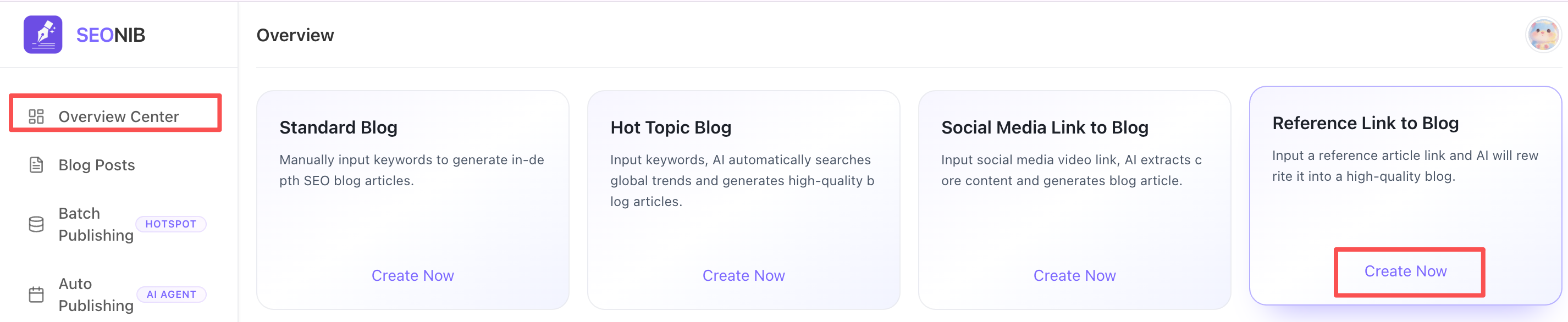
Step 2: Configure Content
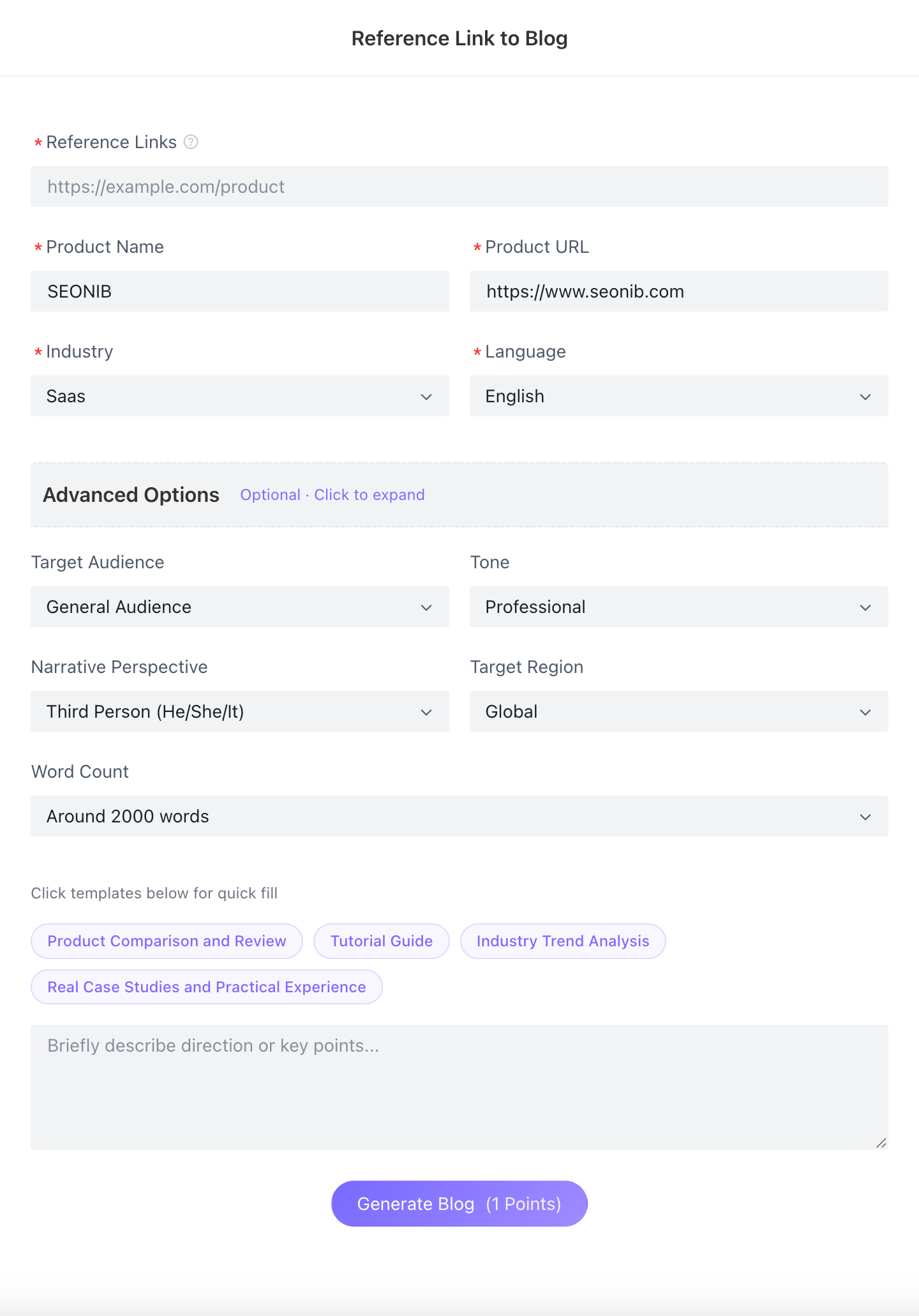
1. Provide Source Material: Paste the URL of your reference webpage into the “Reference Link” input field. Ensure the link is publicly accessible.
2. Brand Echo: Confirm product names and links. If pre-set in “Project Configuration,” the system will automatically echo them, ensuring rewritten content naturally integrates your brand information.
3. Personalize Settings: Primary Language: Select one of 44 languages as the target for creation.
4. Advanced Options: Customize tone (e.g., professional/formal), pronouns, target region, and word count.
5. Quick Templates: Click “Quick Templates” at the bottom (e.g., “Real-world examples” or “Practical experience”) to guide AI direction.
6. Generate Post: Click “Generate Blog.”
2. Editing & Publishing
• Progress Saving: After entering the editor, click “Save Draft” in the top-right corner anytime to archive progress. Supports cross-device synchronization.
• SEO Completion: Click the “SEO” tab to instantly generate Meta Title and Description optimized for the new article.
•Pre-Publishing Checklist: Friendly reminder: The system displays completion status for all content elements before publishing.
•Flexible Publishing: This check is non-mandatory and serves as a reminder only. Even if some SEO information is missing, you can still click “Continue Publishing” to sync to your site.