
Brand Space
Последнее обновление:7/25/2026
Brand Space is SEONIB's dedicated knowledge base for your brand.
Once configured, AI automatically understands your brand identity, products, industry terminology, assets, product catalog, and linking strategy when generating SEO and other marketing materials—producing content that is more accurate, professional, and consistent with your brand voice.
Brand Space Entry
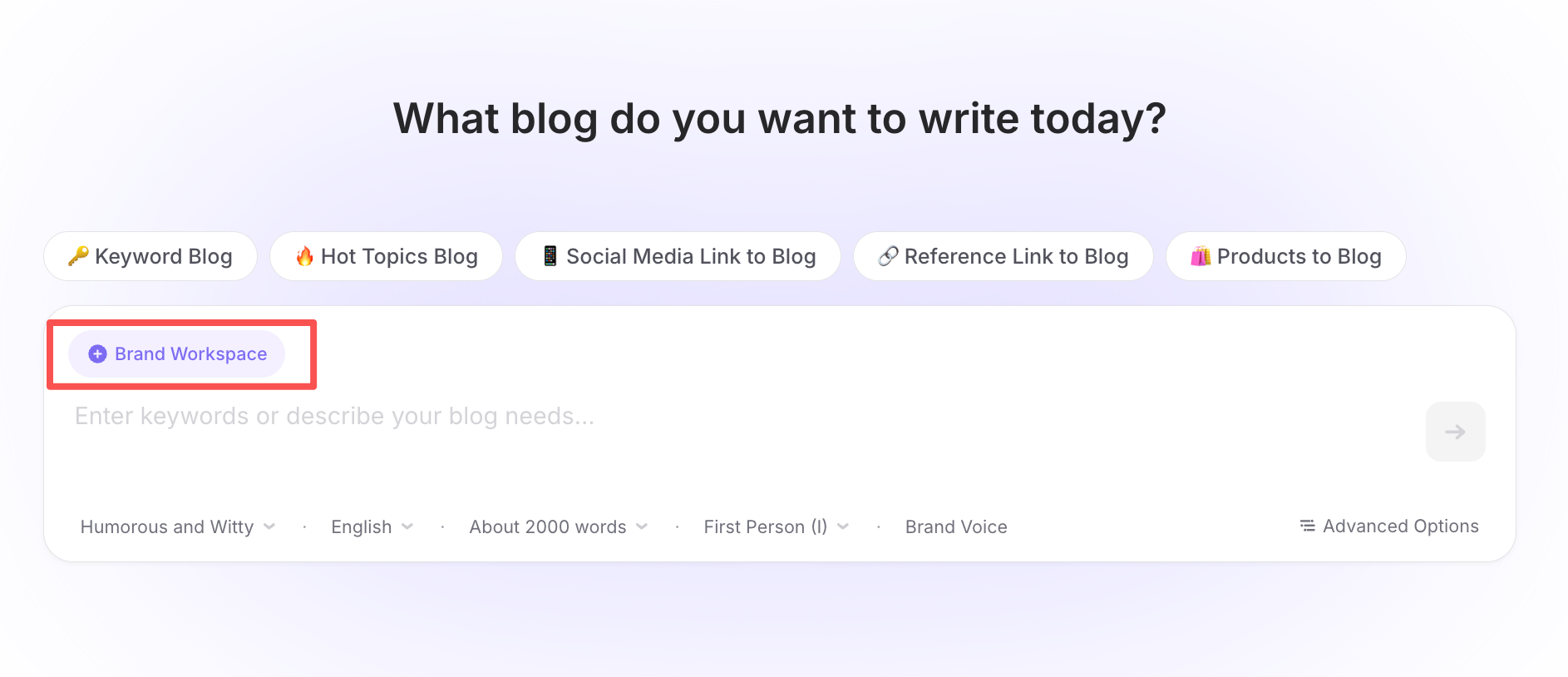
On the blog creation page, click the "Brand Space" button in the upper-left corner of the editor input box to quickly access the Brand Space for the current project.
一、AI Context
AI Context tells the AI:
Who you are, what you do, who you serve, and what makes your brand unique.
The more complete your information is, the better the AI can understand your brand and generate high-quality content.
Brand Name
Enter your official brand name.
Example:
SEONIB
The AI will prioritize this name when generating content and maintain consistent branding.
Recommendations:
- Use your official brand name.
- Avoid mixing abbreviations or multiple brand names.
Website URL
Enter your website URL and click "AI Analyze".
The system will automatically analyze your website and generate a brand description based on its content.
After generation, you can edit and refine the description to better reflect your business.
Recommendations:
- Use your homepage URL.
- Ensure the website is publicly accessible.
- Review and optimize the generated description for better AI understanding.
Website Description
The Website Description is the most important field in Brand Space and serves as the primary source for AI understanding.
Include information such as:
- Brand overview
- Product positioning
- Core features
- Target audience
- Use cases
- Competitive advantages
- Brand values
Example:
SEONIB is an AI SEO platform focused on AEO and GEO optimization,
helping ecommerce businesses automatically generate SEO content,
AEO answers, and landing pages to improve visibility across
Google and AI-powered search engines.
Recommended length: 300–2,000 words
The more comprehensive the description, the better the AI understands your brand.
Industry
Select the industry that best matches your business.
Industry information helps AI understand your business context and generate content that aligns with industry standards and terminology.
Examples include:
- Cross-border Ecommerce
- SaaS
- Education
- Healthcare
- Finance
- Manufacturing
- Local Services
Choose the industry that most closely represents your primary business.
Core Keywords
Add the primary keywords your brand wants to rank for.
Recommendation: Enter one keyword or topic per line.
Example:
AI SEO
AEO
GEO
Shopify SEO
Shoplazza SEO
AI Content Generation
Ecommerce SEO
SEO Automation
We recommend adding 10–50 core keywords.
These keywords help AI better understand your expertise and generate more relevant content.
Industry Terminology
Add industry-specific terminology, product names, or commonly used professional expressions.
Enter one term per line.
These terms serve as an important knowledge source for AI, helping it generate more professional and accurate content while reducing misunderstandings.
Recommended content:
- Industry terminology
- Product names
- Technical concepts
- Common abbreviations
- Brand-specific terms
- Business workflow terminology
Example:
AEO
GEO
AI SEO
LLMO
Answer Engine Optimization
Generative Engine Optimization
Structured Data
Schema Markup
Knowledge Graph
SERP
Best practices:
- Add 10–100 terms
- Enter one term per line
- Prioritize terms highly relevant to your business
- Update regularly as your industry evolves
二、Internal & External Link Configuration
Link Configuration provides AI with your preferred linking strategy, allowing it to intelligently reference relevant pages when generating content.
You can configure links such as:
- Homepage
- Product pages
- Collection pages
- Blog posts
- Landing pages
- Help Center
- Documentation
- Authoritative external resources
A well-structured linking strategy improves both content quality and SEO performance.
We recommend adding stable, business-related URLs whenever possible.
Asset Library
The Asset Library provides AI with additional brand resources to better understand your products and business.
Currently supported asset types include:
- Product Images
- Videos
- Document Links
The number of assets you can add depends on your subscription plan.
Product Images
Upload product or brand-related images to provide additional visual context for AI-generated content.
Recommended uploads include:
- Product images
- Brand logo
- Lifestyle images
- Feature illustrations
- Marketing creatives
Use high-quality, watermark-free images whenever possible.
Videos
Upload videos related to your products or brand to help AI better understand your offerings.
Recommended content:
- Product demonstrations
- Tutorials
- Brand videos
- Feature walkthroughs
The richer your video content, the better AI can understand your products.
Documents
Currently, the Document module only supports adding document links. Local file uploads are not supported.
Add publicly accessible documentation URLs along with a description.
AI will use these documents as knowledge sources when generating content.
Supported document types include:
- API Documentation
- Product Manuals
- User Guides
- Developer Documentation
- Help Center Articles
- Brand Documentation
How to Add a Document
- Enter the document URL.
- Add a short description (such as "API Reference", "Integration Guide", or "Product Manual").
- Save the document.
We recommend using permanent, publicly accessible URLs to ensure long-term availability.
三、Product Import
Product Import automatically synchronizes products from your website into Brand Space.
There is no need to manually create product records.
Simply provide your product listing page URL, and the system will automatically import your products.
How to Import Products
Click "Import Products" and paste your product listing page URL.
The system will automatically crawl the page and extract available product information.
Imported information may include:
- Product name
- Product image
- Product description
- Product URL
- Product price (when available)
This significantly reduces manual work.
Supported URLs
We recommend using pages that contain multiple products, such as:
- Collection pages
- Category pages
- Product listing pages
- Store catalog pages
The system will automatically detect and import products from these pages.
Why Import Products?
Imported products become part of your AI knowledge base.
AI can automatically reference them when generating:
- SEO articles
- AEO content
- Product recommendation articles
- Product comparison pages
- Landing pages
- FAQ pages
- Marketing copy
This improves content accuracy while reducing repetitive manual input.
四、AI Understanding Preview
The AI Understanding Preview displays how AI currently understands your brand.
This preview is not based solely on AI Context. Instead, it combines information from your entire Brand Space, including:
- Brand Name
- Website URL
- Website Description
- Industry
- Core Keywords
- Industry Terminology
- Internal Links
- External Links
- Product Images
- Videos
- Document Links
- Imported Products
AI analyzes all of this information together to build a comprehensive understanding of your brand, which is then used for future content generation.
Before generating large amounts of content, we recommend reviewing the preview to ensure your brand positioning and business information are accurate.
If necessary, update your Brand Space configuration and save your changes to refresh the AI's understanding.
五、Brand Completeness
Brand Completeness measures how complete your Brand Space configuration is.
The score is calculated based on all configured resources within Brand Space, including:
- AI Context
- Core Keywords
- Industry Terminology
- Internal Links
- External Links
- Product Images
- Videos
- Document Links
- Imported Products
A higher Brand Completeness score provides AI with richer brand knowledge, resulting in more accurate, professional, and brand-consistent content.
To improve your score, consider:
- Expanding your website description
- Adding more core keywords and industry terminology
- Configuring additional internal and external links
- Uploading more brand assets
- Importing your product catalog
六、Resource Limits
Different subscription plans include different Brand Space resource limits.
| Resource | Free | Starter | Growth | Agency |
|---|---|---|---|---|
| Product Images | 8 | 50 | 150 | 500 |
| Products | 8 | 50 | 150 | 500 |
| Internal Links | 8 | 50 | 150 | 500 |
| External Links | 2 | 20 | 40 | 80 |
| Videos | 2 | 10 | 30 | 100 |
| Documents | 2 | 10 | 30 | 100 |
Once a limit is reached, you'll need to remove existing resources or upgrade your plan before adding more.
七、Frequently Asked Questions (FAQ)
Why doesn't the generated content reflect my brand?
This usually happens because your Brand Space configuration is incomplete.
We recommend improving your website description, keywords, terminology, assets, and product data to give AI a better understanding of your brand.
Can I edit the website description generated by AI Analyze?
Yes.
After clicking "AI Analyze", the system automatically generates a website description based on your site. You can freely edit and improve it before saving.
Can I upload PDF or Word documents?
Not yet.
The Document module currently supports document links only. AI will read and reference publicly accessible documentation URLs.
Do I need to add products manually?
No.
Simply provide a product listing page URL, and the system will automatically crawl and import the products for you.