
Guide to Converting Social Media Links to Blog Posts
Cập nhật lần cuối:4/12/2026
Social Media Link to Blog Mode enables one-click conversion of video content from major social media platforms into long-form blog posts, significantly boosting content reuse efficiency.
1. Supported Platforms
The system analyzes social media video links from the following platforms:
• Mainstream short videos: TikTok, Instagram, Facebook.
• Long-form videos and feeds: YouTube, Twitter (X), LinkedIn.
2. Creation Steps
Step 1: Access the Creation Portal
1. Log in to the SEONIB dashboard.
2. Click “Overview Center” in the left menu, then click “Create Now” on the “Social Media Links to Blog” card.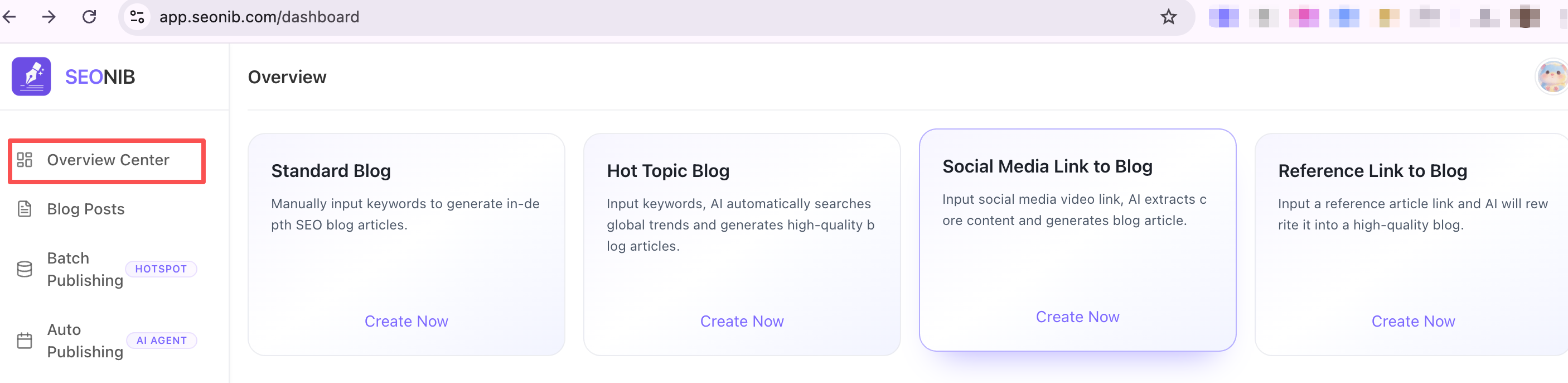
Step 2: Configure Content
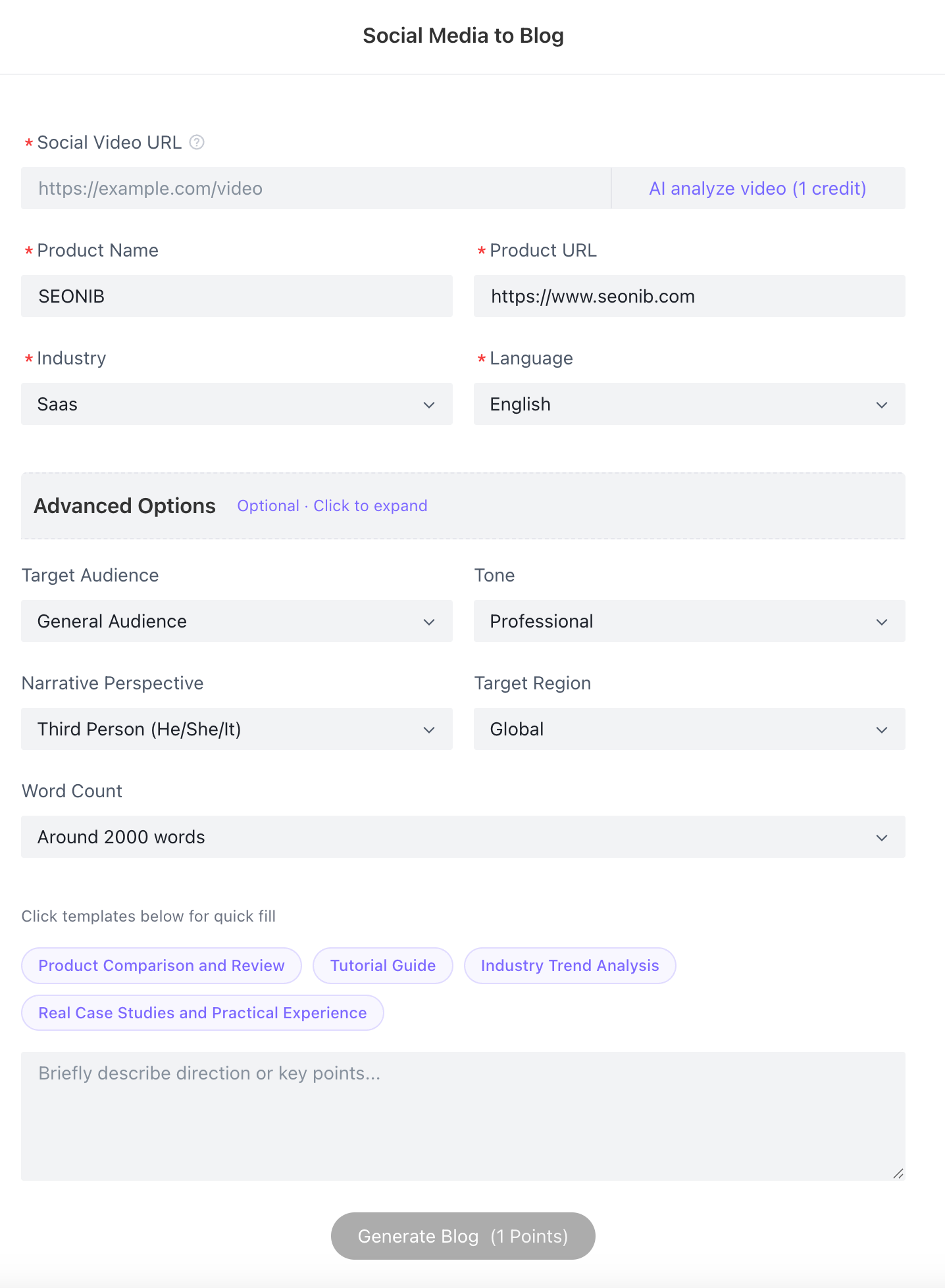
1. Enter Link: Paste the social media video share link into the “Social Media Video Link” input field.
2. AI Analysis: Click “AI Analyze Video” to automatically extract and parse the video's core ideas and content.
3. Configure Parameters: Verify the displayed product name and link, then set advanced options like target language, word count, and tone.
4. Generate Blog Post: Click “Generate Blog” at the bottom (consumes 1 credit). AI will create a fully structured SEO blog post based on the video analysis.
3. Edit and Optimize
• Save Draft: Click “Save Draft” in the top-right corner of the editor to ensure content syncs instantly to the cloud.
• Global Languages: Supports 44 languages. Select one as the primary language to rapidly expand your social media content into multilingual markets worldwide.
• Smart Image Pairing: Use the “Image Pairing” tool to add visual assets to your video-rewritten articles via AI-generated images or stock photo searches.
4. Publishing Reminders
• Self-Check Window: Before publishing, a pop-up displays completion progress for title, SEO, body text, and other elements.
• Non-Mandatory Publishing: This feature serves as a quality control reference. Even if SEO information shows “To be completed,” you can still click “Continue Publishing” to integrated Shopify or WordPress channels.