
Industry Hot Topics Blog Writing Guide
最后更新:3/20/2026
Industry Hotspot Blog Mode is designed to track real-time trending keywords across the web, rapidly generating SEO blog posts with high timeliness and traffic potential.
1. Core Functionality: Capture Latest Hotspots
1. Enter Keywords: Input your industry or product core terms (e.g., “SEO”) at the top of the page.
2. Retrieve Hotspots: Click the “Get Latest Hotspots” button.
3. Select Topic: The system will instantly retrieve and display multiple trending industry topics. Simply check one from the list to set as your writing theme.
2. Parameter Configuration
- Entry: Overview Page -Hot Topics Blog
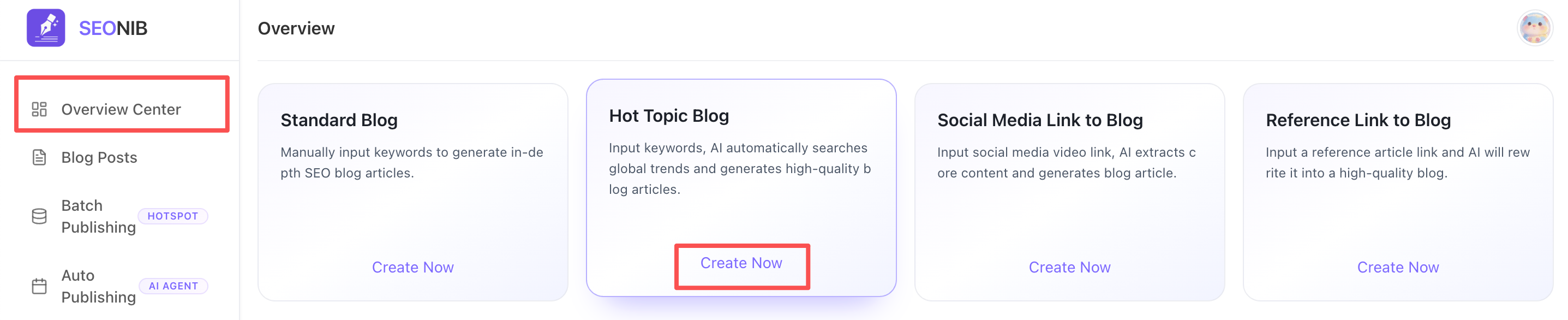
- Create Page
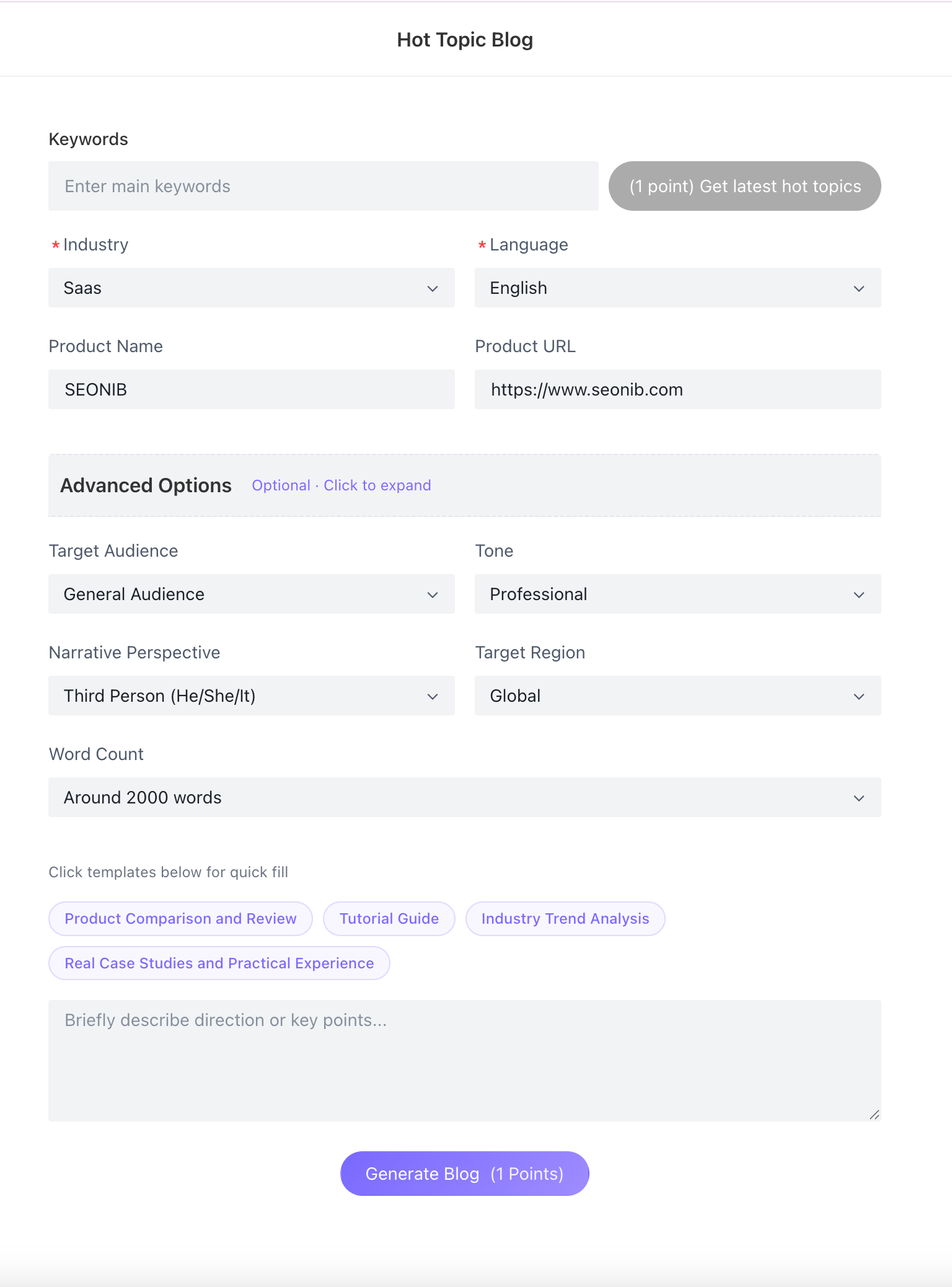
• Brand Placement: Confirm product name and link. If pre-set in “Project Configuration,” it will auto-populate here.
• Generation Preferences: Set primary language (supports 44 languages), target audience, tone style, and word count.
• Quick Templates: Click the “Industry Trend Analysis” or “Product Comparison & Review” templates at the bottom to quickly standardize AI writing structure.
3. Save Draft
During editing after article generation, you can click the “Save Draft” button in the top-right corner at any time.
• Save Draft: Click the top-right button to archive your current progress at any time.
• Cross-Device Sync: Drafts sync to the cloud “Blog List,” enabling seamless editing across devices and preventing content loss.
4. Publishing & Integration
• Editor Enhancements: After generation, utilize the editor for AI-powered image pairing, multilingual translation, and SEO auto-completion.
• Custom Slug: When publishing, we recommend using AI-generated Slugs to match trending keywords and improve search engine crawl rates.
• Pre-Publish Self-Check (Recommended): The system will prompt you on the completeness of elements like title, body text, and SEO. Even if some are missing, you can still click “Continue Publishing” to channels like Shopify or WordPress.