
Batch Publishing · Data Sources
最後更新:3/14/2026
The Bulk Publishing module is the content production factory of SEONIB. By building "Automated Information Sources," you can achieve a fully unattended operation—from topic discovery to article generation.
I. What is an "Automated Information Source"?
An Information Source is more than just a storage for topics; it is an automated content engine. It monitors, mines, and delivers high-quality creative materials from across the web based on your specific configurations.

II. Comparison of Three Information Sources
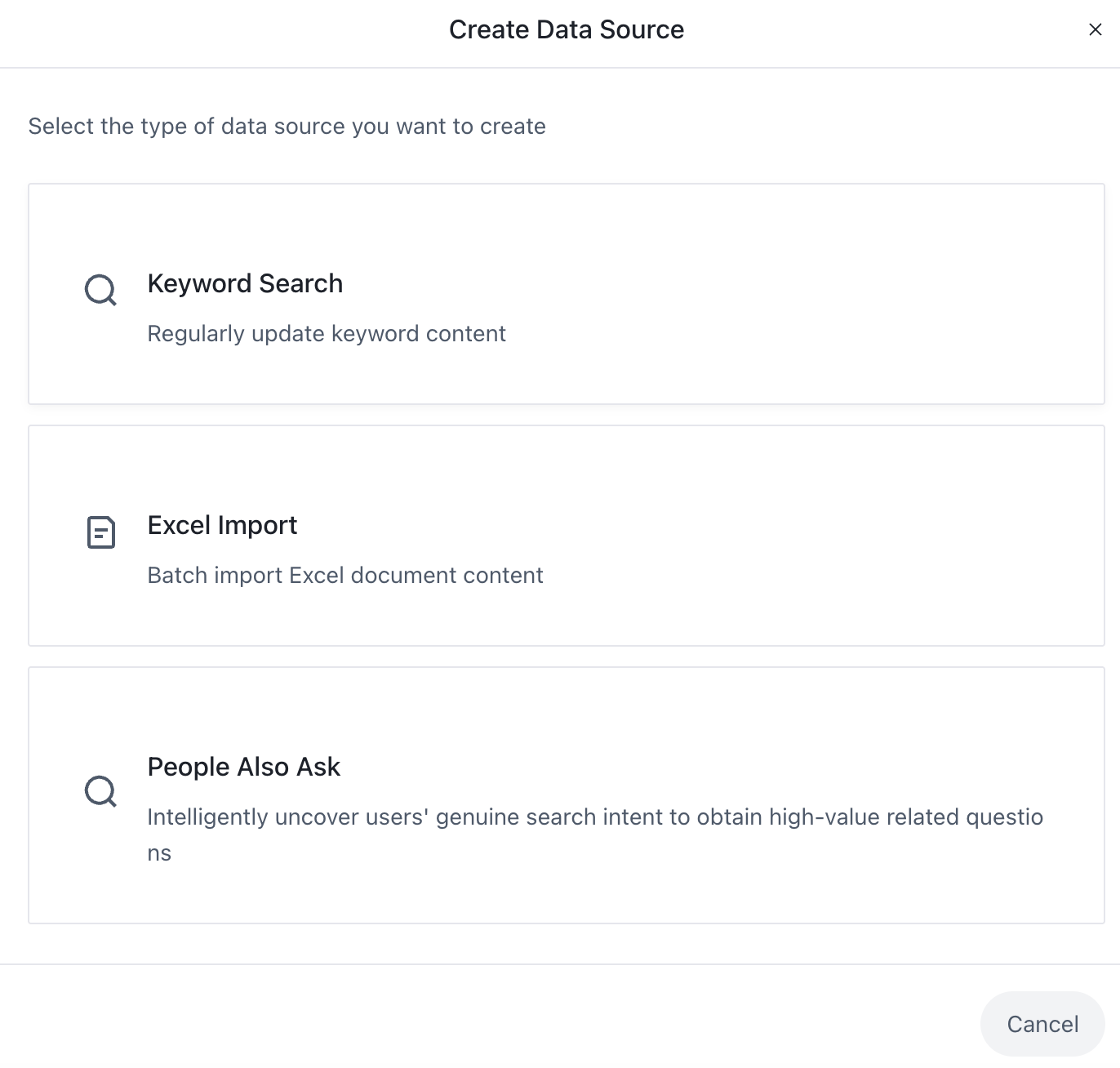
| Acquisition Method | Automation Attribute | Core Value | Ideal Use Case |
| Keyword Search | Full Automation | 7x24h global hotspot monitoring; automatically ingests new topics at set intervals. | Tracking industry trends and maintaining real-time content relevance. |
| People Also Ask | Deep Automation | AI mines search intent to automatically reach real user pain points. | Building Q&A knowledge bases to convert long-tail traffic. |
| Excel Import | Semi-Automation | Bulk-feed specific materials into the system for streamlined output. | Executing specific marketing plans or rebranding existing content assets. |
III. Operating Guide
1. Quick Start: Use Popular Templates
Click on tags such as #AI Tools, #Cross-border E-commerce, or #SEO Strategies on the page. The system will automatically fill in the configurations and start monitoring, immediately scanning for global viral hotspots for you.
2. Custom Creation
Click [Start Auto-Acquisition] / [Create Information Source], choose a source type, and set your preferences:
- (1) Keyword Search:It is recommended to enter multiple core keywords to build a rich automated material pool.Press Enter after typing a keyword to add the next one. This ensures the system continuously monitors and acquires global hotspots for you.
- (2) People Also Ask:Only one core keyword can be entered for precise intent mining.
- (3) Excel Import:Zero-threshold bulk import: simply provide the title field in the template to quickly build your automated topic library.
3. 📊 Manage Topic Library
On the main "Bulk Publishing · Information Source" interface, you can monitor:
- Topic Progress: Clearly displays the "Used Topics / Total Topics" (e.g., 133/136) to track consumption.
- Status Switch: Turn the capturing task of any automated source on or off at any time.
Technical Logic Comparison
| Source Type | Tag | Switch | Update Mechanism | Frequency |
| Keyword Search | Keywords | On by default | Automatically updates by frequency. System fetches the latest 10 items per scan, deduplicates them, and saves them to the library (actual new items ≤ 10). | Based on user settings (e.g., Daily) |
| People Also Ask | PAA | / | AI simulates search intent for deep mining. Task stops after one completion. Can be manually re-triggered. | Once |
| Excel Import | Excel | / | One-time bulk import based on the uploaded document. | None |
4. Execute Bulk Generation
- Filter & Select: From the automatically acquired topic list, check the entries you wish to convert.
- One-Click Pipeline: Click "Bulk Generate Blogs" in the top right corner. The system will use your preset project configurations to automatically complete multi-language creation, SEO optimization, and formatting.
IV. Pro Tip: Sync with "Auto-Publish"
Combine Automated Information Sources with the AI Agent Auto-Publish feature for maximum efficiency:
- Information Source: Continuously generates high-quality topic materials.
- Bulk Generation: Converts materials into professional blog posts.
- Auto-Publish: Pushes content to your site automatically according to your schedule.
Tip: Through this combination, you can build a closed-loop SEO traffic growth system that runs itself.